 05.08.2018, 15:40
| #11 | |
| Модератор   Online: 2мес2нед4дн Регистрация: 30.03.2010
Сообщений: 14,754
Репутация: 127317 (Вес: 1585) Поблагодарили 31,269 раз(а) |  Re: Обслуживание ОС Re: Обслуживание ОС AllDup 4.1.5 + Portable ~MULTI/Ru~  Версия программы: 4.1.5 Официальный сайт: AllDup - Freeware zum Suchen und L Язык интерфейса: Русский, Английский и другие Лечение: не требуется Системные требования: Windows 10, Windows 8, Windows 7, Windows Vista Windows Server, Windows XP, Windows 2000 32-bit and 64-bit compatible Описание: AllDup - бесплатный инструмент для поиска и удаления дубликатов файлов на Вашем компьютере. Программа обладает специально разработанным алгоритм быстрого поиска дублирующихся файлов любого типа - текст, изображения, музыка, фильмы и т.д. Дополнительная информация: Скрытый текстЗадайте диски или папки для анализа, и мощная поисковая система за считанные секунды обработает целые гигабайты информации, находя дубликаты по следующим критериям: имя файла, расширение файла, размер файла, содержимое файла, дата последнего изменения, дата создания, атрибуты файла и его месторасположение. Когда дубликаты определены, с каждым из них можно детально ознакомиться и открыть. Те найденные копии, которые только бесполезно занимают место на компьютере, могут сразу же быть удалены прямо из интерфейса программы. С приложением AllDup Вы сможете навести порядок на своих дисках, освободив дополнительное пространство и избавившись от ненужных мусорных копий файлов. [свернуть] Основные особенности: Скрытый текстIgnore the EXIF data of JPEG files Entire folders or individual files can be excluded from the search by masks or size conditions Ignore the ID3 tags of MP3 files Ignore the meta data of FLAC files Create shortcuts or hardlinks to the last original file Save and restore the search result for continue working later Search through an unlimited number of files and folders For your safety all files that have to be deleted can be moved to the Recycle Bin or a separate backup folder Search for files with similar names Fast search algorithm Search is performed in multiple specified folders, drives, media storages, CD/DVDs... Find duplicates with a combination of the following criteria: file content, file name, file extension, file dates and file attributes! Convenient search result list Search for duplicates of digital photo files Many flexible options helps you to select unnecessary duplicates automatically The built-in file viewer allows you to preview many different file formats and analyze the content of the file before deciding what to do with it Export the search result to TXT or CSV file The unnecessary duplicates can be deleted permanently or copied/moved to a folder of your choice Search for hard links Detailed log file about all actions Search for similiar pictures Search for duplicates of executable and any other files Search for duplicates of music and video files List non-duplicate files [свернуть] Возможности программы: Скрытый текстAllDup helps you to find, view and remove files that have duplicate content, regardless of name! Free up used hard disk space on your PC! Remove duplicate files - as you want! It can be especially useful if you have large Music, Pictures, Downloads or Documents folders! Find and delete duplicate files! AllDup is a powerful tool to search for file duplicates on your computer! Find and remove duplicate files from your computer, notebook, network drives, flash drives, memory drives! Find and remove duplicate files! Find and delete hard links Remove duplicate files faster and safer than with any other duplicate file finder! No more file clones or file duplicates! Remove duplicate files - Easily and Anywhere! Delete duplicate music files! Remove duplicate photos and images! Find duplicate MP3 files with different ID3 Tags! Finding out whether a file has hard links! Clear your computer, music or photo collection from duplicate files! Find, remove, delete, copy and move duplicate files! Find and remove duplicate files of ANY type! Find and hardlink duplicate files! [свернуть] Что нового: Скрытый текстNEW: Greek translation of the user interface. (Translator: Pandelis Zeniodis) UPD: The slovenian translation of the user interface has been updated. UPD: Now you can delete files from inside a zip file with the file manager. FIX: Various optimizations have been introduced in various sections of AllDup. Various bugs have been fixed. [свернуть] О Portable: Скрытый текстПортативная версия программы от разработчика, работает без установки в систему. [свернуть] Скриншоты: Скрытый текст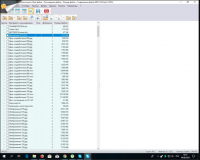 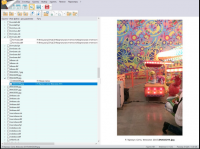 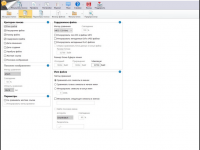 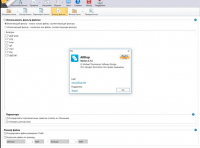 [свернуть]
| |

|   |
| Здесь присутствуют: 1 (пользователей: 0 , гостей: 1) | |
| |


 Древовидный вид